
I love lists. Grocery lists. To-do lists. Packing lists. Affirmation lists. Homework lists.
I’ve used an agenda for school since fourth grade and I don’t think I could have gotten through my middle and high school years without one. To this day, I appreciate my teachers who would require us to write everything in our agenda as part of the homework assignment. For me, it never felt like work. There’s something about seeing everything taken out of your brain and written on a sheet of paper that makes it seem more accomplishable. At the end of the day when it came time to fill my backpack with books, I’d know exactly what I’d be taking home and what could be saved for later. And the best feeling is when you get to cross something off your list of scribbles (and never think of it again!).
This week, I decided to use an online version of a to-do list/task management system called Asana. I’ve had experience using Asana in previous internships and loved it. I enjoy how you can organize everything. It reminds me a bit of Notion, which is another website you can use for organization and to-do lists. Asana, however, feels much more work- and project-related.
I decided to set up my Asana so that it’s strictly project-focused and separated my schoolwork and business into different folders. I run a small business on Etsy and create digital artwork. It’s something I genuinely enjoy doing because it allows me to be as creative as I please. This week, I had a few custom pieces to create for customers. I used Asana to input each order, the steps I had to take to complete the orders, and the days I needed them completed by. For my custom pieces, I allow for a 3-5 day turn-around time. The due date feature on Asana is great for this!
My favorite overview is the list overview. I love the fact that you can also create subtasks within each task, so you don’t have an extremely long to-do list that instantly creates anxiety. You can hide the subtasks and cross them off as you complete them. Here’s an example of what a list looked like for one of my to-dos:
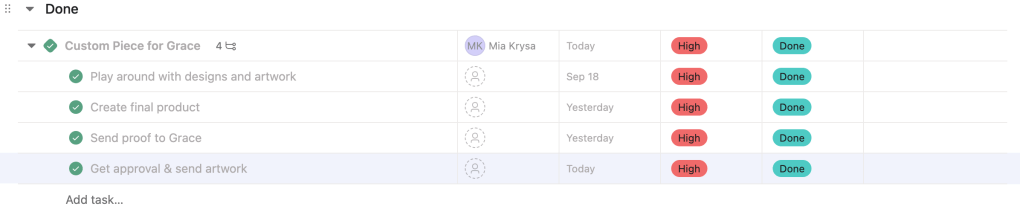
If you don’t like the list overview, you can choose to switch it to a board view, timeline view, and dashboard view, among many others.
As far as course organization, I created a new folder specifically for the white paper which is going to take a lot of time and focus. Then, I created a separate project folder just for this week but used the calendar option to organize it. Here’s what it ended up looking like:
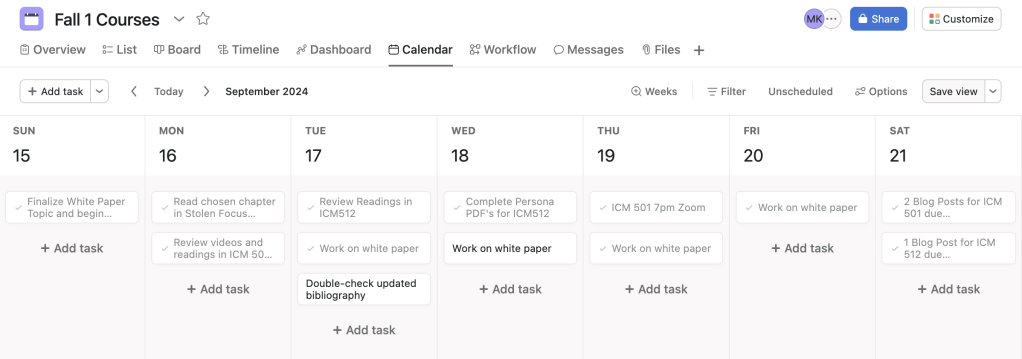
Overall, I can see myself using Asana week-to-week. The little unicorn explosion that happens each time you complete a task is enough motivation for me to keep checking things off of my to-do list! I’m hoping that as my time as a graduate student continues, I become better and better at managing my time and projects.
 Mia Krysa
Leave a comment